Video Editing Tips for Beginners That Actually Work
Published: 26 Dec 2025
Video editing has become an essential skill for creators, brands, and beginners who want their content to stand out online. Learning the right video editing tips can help you turn raw clips into engaging videos that keep viewers watching from start to finish.
In this guide, you’ll discover practical and easy-to-follow video editing tips designed for beginners and creators alike. Whether you’re editing for YouTube, social media, or podcasts, these tips will help you create cleaner, more professional-looking videos without feeling overwhelmed.
Video Editing Tips for Beginners
Starting out with video editing can feel overwhelming, but focusing on the right basics will set you up for success. These simple tips help beginners build confidence and create polished videos quickly.
Key Video Editing Tips for Beginners
- Familiarize yourself with the editing software interface.
- Keep your clips organized for easier editing.
- Use simple cuts and avoid overusing effects.
- Pay attention to audio levels and background noise.
- Export your video in the correct format for your platform.
Why These Tips Matter for Beginners
By mastering these foundational tips, beginners avoid common pitfalls that slow down editing or lower video quality. Building good habits early helps you create better videos faster and improves your overall editing skills as you grow.
How to Make a Good Edit That Keeps Viewers Engaged
A good edit is more than just cutting clips together — it’s about crafting a seamless, enjoyable experience that holds the viewer’s attention from start to finish. Understanding the key elements of a good edit will help your videos stand out.
Important Elements of a Good Edit
- Keep the pacing steady and natural.
- Use smooth, subtle transitions.
- Balance audio for clear sound.
- Remove unnecessary or boring clips.
Why These Elements Matter
- Creates a professional-looking video.
- Keeps viewers watching longer.
- Enhances storytelling clarity.
- Boosts engagement and shares.
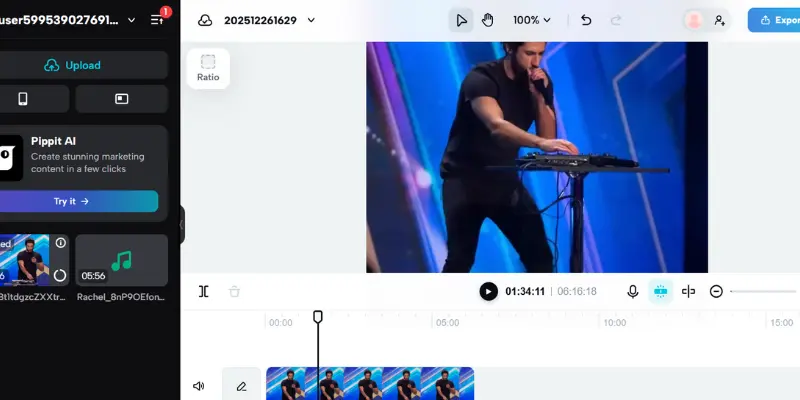
Capture Better Footage Before You Edit
Great video editing starts with great footage. Paying attention to how you shoot your videos can make editing easier and the final product much more impressive.
Key Tips for Capturing Better Footage
- Use natural or soft lighting to avoid harsh shadows.
- Keep your camera steady using a tripod or stabilizer.
- Record clear audio with an external microphone if possible.
- Frame your shots using the rule of thirds for balanced composition.
Why Good Footage Matters
High-quality footage reduces the amount of fixing you need to do during editing. Clear visuals and audio save time and help you focus on creative edits rather than technical corrections, making your videos look professional and polished from the start.
Types of Video Editing You Should Know
Different types of video editing are used depending on content goals and platforms. Understanding these types helps you apply the right video editing tips and improve results faster.
Common Types of Video Editing
- Basic Video Editing – Simple cuts, trims, and audio cleanup
- Cinematic Video Editing – Story-driven edits with color grading
- Social Media Video Editing – Short, fast, vertical videos
- YouTube Video Editing – Engaging pacing with effects and B-roll
- Podcast Video Editing – Clean cuts with audio-focused editing
Video Editing Basics: How to Learn Video Editing the Right Way
Learning video editing becomes much easier when you understand the video editing basics and follow a clear process. Many beginners struggle because they jump into advanced tools without mastering basic video editing skills first. A simple and structured approach helps you learn faster and avoid common mistakes.
If you’re wondering how to learn video editing, start by focusing on small, repeatable steps. Practice editing short clips, learn how cuts affect pacing, and understand how audio and visuals work together. Applying these video editing tips consistently will help you improve your skills without feeling overwhelmed.
Simple Video Editing Process for Beginners
- Import and organize your footage properly
- Trim clips and remove unnecessary parts
- Arrange clips on the timeline for smooth flow
- Adjust basic audio levels and remove noise
- Export the video in the correct format
Edit Like a Pro With These Advanced Tips and Tricks
Once you’ve mastered the basics, using advanced editing techniques can elevate your videos and make them truly stand out. These tips help add polish and creativity to your edits.
Advanced Video Editing Tips and Tricks
- Apply color correction to enhance mood and consistency.
- Use cutaways and B-roll to add visual interest.
- Adjust audio levels for smooth transitions between clips.
- Experiment with pacing to match the rhythm of your content.
Why Advanced Tips Matter
Incorporating these tricks helps your videos look professional and engaging, showing your expertise as a creator. They improve storytelling and keep your audience hooked longer, which is essential for growing your channel or brand. podcast to mp3 download
Pros and Cons of Using Video Editing Tips
Video editing tips can improve your content quality and workflow, but it’s important to understand both the benefits and limitations for better results.
Pros of Video Editing Tips
- Helps create professional-looking videos
- Saves time with a smoother editing process
- Improves viewer engagement and watch time
- Builds strong editing habits for beginners
Cons of Video Editing Tips
- Too many tips at once can feel confusing
- Over-editing may reduce natural feel
- Advanced tips need regular practice
- Results take time, not instant improvement
Sound and Music Editing for Better Engagement
Good sound quality and well-chosen music can make a huge difference in how your video connects with viewers. Paying attention to audio is just as important as visuals.
Why Sound Matters in Video Editing
Clear and balanced audio keeps viewers focused and enhances the overall experience. Poor sound can distract and cause viewers to lose interest quickly.
Tips for Editing Sound and Music
- Use background music that complements your video’s mood.
- Lower music volume when dialogue or important sounds play.
- Remove background noise using noise reduction tools. video editing softwear
Best Practices for Audio Mixing
- Always monitor audio levels on headphones.
- Avoid sudden loud sounds or volume spikes.
- Use fade-ins and fade-outs for smooth transitions.
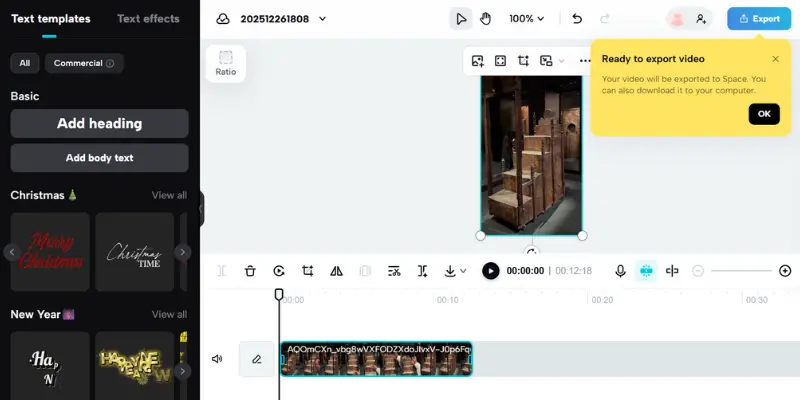
Tools and Software Guide for All Levels
Choosing the right editing tools can make your video editing process smoother and more enjoyable. Whether you’re just starting out or an experienced editor, there’s software suited for every level.
Beginner-Friendly Video Editing Tools
- iMovie: Simple and free for Mac users.
- CapCut: Easy mobile editing with powerful features.
- Windows Video Editor: Basic tool built into Windows.
Intermediate and Professional Software
- Filmora: User-friendly with advanced features.
- DaVinci Resolve: Great for color grading and free version available.
- Adobe Premiere Pro: Industry-standard for professionals.
Common Mistakes and How to Fix Them
Making mistakes is part of learning video editing, but avoiding common errors can save you time and improve your final videos. Knowing how to fix these issues makes your editing process smoother and your content more professional.
Typical Editing Errors to Watch For
- Overusing flashy transitions can distract viewers.
- Ignoring inconsistent audio levels frustrates the audience.
Simple Fixes to Improve Your Edits
- Use transitions only when they add value.
- Balance audio regularly throughout your video.
- Trim unnecessary footage for better pacing.
- Apply basic color correction for natural visuals.
Video Editing Workflow from Start to Export
Having a clear workflow helps streamline your editing process, saves time, and ensures a high-quality final video. Following each step carefully makes editing less overwhelming and more productive.
Key Steps in Video Editing Workflow
- Import and organize your footage properly.
- Make rough cuts to shape your story.
Finalizing Your Edit
- Add transitions, effects, and color corrections.
- Mix and balance audio for clarity.
- Review your video multiple times to catch errors.
- Export using the best settings for your platform. geekzilla podcast
Video Editing Techniques to Enhance Storytelling
Effective storytelling is at the heart of great videos. Beyond technical skills, mastering storytelling techniques through editing can captivate your audience and convey your message powerfully.
Understanding Story Flow Through Editing
- Use chronological order or creative sequencing to maintain clarity.
- Build tension by controlling pacing with cuts and pauses.
- Use visual cues like zooms or close-ups to emphasize key moments.
Utilizing B-Roll and Cutaways
- Insert B-roll footage to cover jump cuts or add context.
- Use cutaways to show reactions or related visuals without interrupting flow.
- Balance main footage and B-roll for a seamless narrative.
Leveraging Color and Lighting to Set Mood
- Adjust color grading to match the emotion of your story.
- Use lighting effects to highlight important scenes or characters.
- Keep color consistency to avoid distracting viewers.
Optimizing Videos for Different Platforms
Each platform has unique requirements and viewer expectations. Tailoring your edits to fit these specifics can greatly increase your video’s impact and reach.
Editing for YouTube
- Use attention-grabbing intros to hook viewers quickly.
- Add clear calls to action like subscribing or commenting.
- Include chapter markers for easy navigation.
Editing for Instagram and Reels
- Keep videos short and dynamic to match fast-scrolling behavior.
- Use vertical aspect ratio (9:16) for better mobile viewing.
- Incorporate captions since many watch without sound.
Editing for Podcasts and Long-form Content
- Focus on clean audio quality and minimal distractions.
- Use visuals like waveforms or simple animations to engage listeners.
- Edit out long pauses and filler words for smoother flow.
Improving Video Editing Speed and Efficiency
Editing videos takes time, but smart habits can speed up your work without losing quality.
Organizing Your Project Files
- Label folders clearly.
- Name clips consistently.
- Backup often.
Using Keyboard Shortcuts
- Learn key shortcuts.
- Customize if possible.
- Practice regularly.
Automating Repetitive Tasks
- Use templates.
- Batch edit colors/audio.
- Use AI tools.
Tips for Exporting Your Videos Like a Pro
Exporting is the final step, and doing it right ensures your video looks great on any platform.
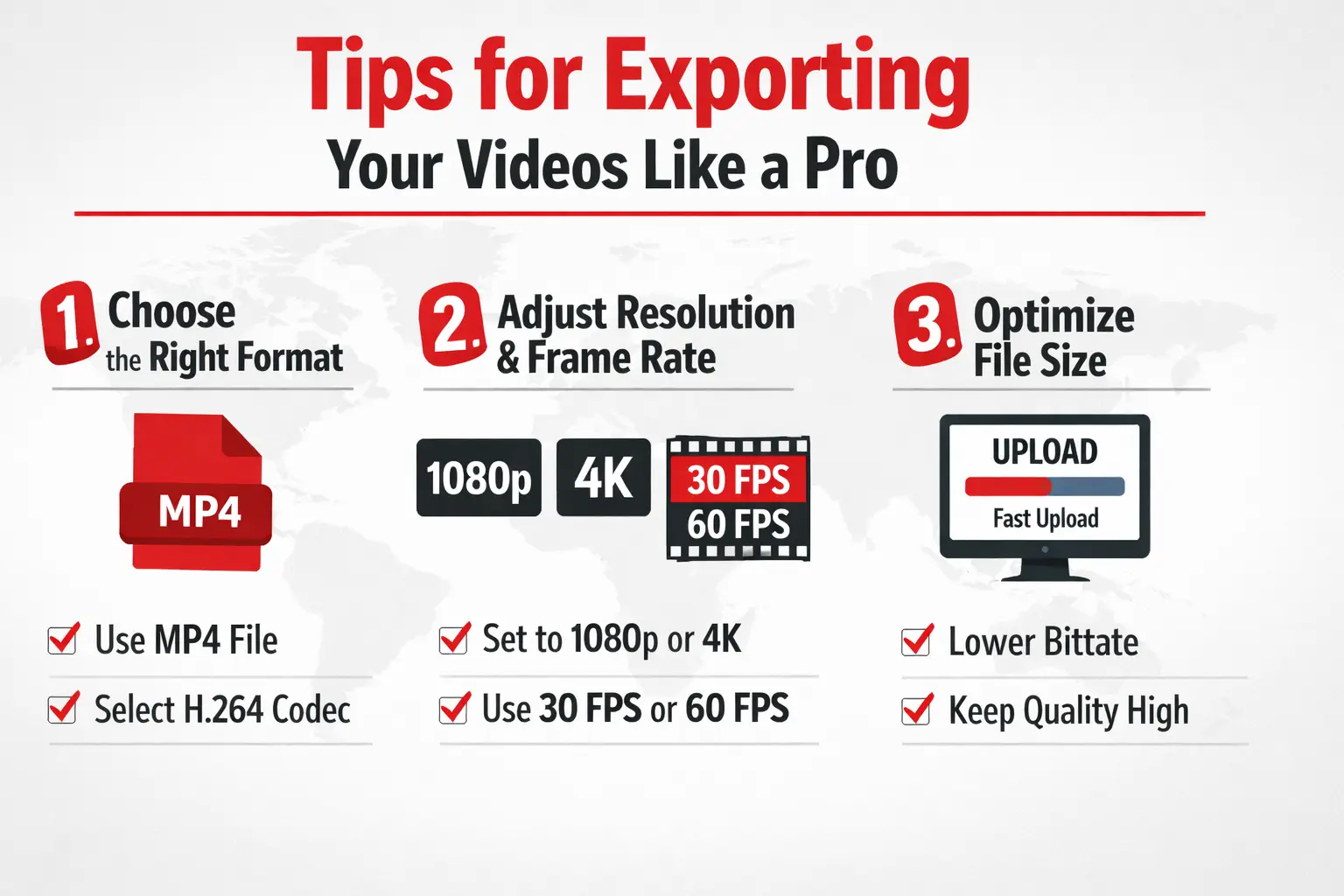
Choose the Right Format
- Use MP4 for most platforms.
- Select H.264 codec for balance of quality and size.
Adjust Resolution and Frame Rate
- Match resolution to your original footage (1080p or 4K).
- Use 30fps or 60fps depending on content type.
Optimize File Size
- Lower bitrate for faster uploads.
- Avoid overly compressing to keep quality.
Enhancing Your Videos with Visual Effects
Visual effects can add flair and professionalism to your videos when used thoughtfully. They help emphasize key moments and keep viewers engaged.
Use Transitions Wisely
- Choose smooth, simple transitions.
- Avoid overusing flashy effects.
Add Text and Titles
- Use clear fonts that are easy to read.
- Keep text on screen long enough to read.
Incorporate Motion Graphics
- Use animations to explain complex ideas.
- Keep graphics consistent with your video style.
Video Editing Tips, Tricks, and Courses
Using the right video editing tips and learning proven techniques can greatly improve the quality of your videos. Combining practical editing tips with structured learning helps beginners and creators edit faster and more confidently.
Tips for Editing Videos Effectively
- Apply simple video editing tips before advanced effects
- Use basic video editing tricks to improve pacing
- Practice editing tips on short videos
- Learn from trusted video editing courses
- Review edits to spot mistakes and improve quality
Building Your Video Editing Skills Over Time
Video editing is a skill that grows with practice, learning, and patience. Improving consistently will help you create better content and boost your confidence.
Practice Regularly
- Edit short videos daily or weekly.
- Experiment with new techniques and effects.
Learn from Others
- Watch tutorials and courses online.
- Study edits from creators you admire.
Seek Feedback
- Share your edits with friends or communities.
- Use constructive criticism to improve. asian podcast girl
Understanding Color Correction and Grading Basics
Color plays a vital role in setting the mood and tone of your video. Learning basic color correction and grading can dramatically improve your footage’s look.
What Is Color Correction?
- Adjusts exposure, white balance, and contrast.
- Fixes color inconsistencies across clips.
What Is Color Grading?
- Enhances mood with creative color tones.
- Gives your video a cinematic or branded look.
Simple Tips to Get Started
- Use scopes to monitor color levels.
- Apply presets to speed up grading.
- Avoid over-saturating colors.
Mastering Audio Editing for Clear Sound
Good audio is just as important as great visuals. Clear sound keeps your audience engaged and enhances the overall video quality.
Basics of Audio Editing
- Remove background noise with filters.
- Adjust volume levels for consistency.
Using Music Effectively
- Choose music that fits the mood.
- Lower music volume during dialogue.
Tips for Voiceovers
- Record in a quiet space.
- Use a good quality microphone.
- Edit out breaths and pauses for smoothness.
Creating Engaging Intros and Outros
The intro and outro set the tone for your video and leave a lasting impression. Making them engaging helps retain viewers and encourages interaction.
Crafting an Effective Intro
- Keep it short and attention-grabbing.
- Introduce the topic clearly.
Designing a Memorable Outro
- Include calls to action like subscribe or follow.
- Use consistent branding elements.
Tips for Both
- Use music and visuals that match your video style.
- Keep intros and outros consistent across videos.
Conclusion
Mastering these video editing tips will help you create polished, engaging videos that captivate your audience and grow your presence online. Whether you’re just starting or looking to refine your skills, practicing these techniques consistently will make a huge difference.
Remember, great video editing combines creativity, patience, and the right tools. Keep learning, experimenting, and applying what you’ve learned to take your videos to the next level. Now it’s time to start editing your best work yet!
1. What is one of the most important reasons to use video editing tips?
a) To add as many effects as possible
b) To improve video quality and engagement
c) To make editing take longer
2. Which software is recommended for beginners in video editing?
a) Adobe Premiere Pro
b) iMovie
c) Final Cut Pro
3. What should you do before you start editing to save time?
a) Organize your project files
b) Add music first
c) Export immediately
4. Why is balancing audio levels important?
a) So music is louder than dialogue
b) To avoid distracting the viewer
c) To make the video longer
5. What is a good practice when using transitions?
a) Use flashy effects on every cut
b) Use smooth, subtle transitions
c) Avoid transitions altogether
6. Which video format is commonly best for exporting videos?
a) AVI
b) MP4
c) MOV
Answers
- b) To improve video quality and engagement
- b) iMovie
- a) Organize your project files
- b) To avoid distracting the viewer
- b) Use smooth, subtle transitions
- b) MP4
1. What are the best video editing tips for beginners?
Start with organizing your files, learning basic cuts, balancing audio, and keeping edits simple to create clean, engaging videos.
2. How can I improve my video editing skills quickly?
Practice regularly, watch tutorials, study other creators’ work, and experiment with different techniques to build confidence and speed.
3. What software is best for beginner video editors?
Popular beginner-friendly software includes iMovie, CapCut, and Windows Video Editor due to their easy interfaces and essential features.
4. How do I make a good edit that keeps viewers engaged?
Focus on pacing, smooth transitions, clear audio, and cutting out unnecessary footage to maintain viewer interest throughout your video.
5. What are common video editing mistakes to avoid?
Avoid overusing effects, ignoring audio levels, keeping unnecessary clips, and neglecting color correction to make your videos look professional.
6. How do I export videos for different platforms?
Use MP4 format with H.264 codec, match resolution to your footage, and adjust frame rates according to platform requirements for best quality.







- Be Respectful
- Stay Relevant
- Stay Positive
- True Feedback
- Encourage Discussion
- Avoid Spamming
- No Fake News
- Don't Copy-Paste
- No Personal Attacks
- Be Respectful
- Stay Relevant
- Stay Positive
- True Feedback
- Encourage Discussion
- Avoid Spamming
- No Fake News
- Don't Copy-Paste
- No Personal Attacks
